[Skip to content](https://www.t-mobile.com/home-internet/the-signal/internet-help/setting-up-internet-in-a-new-home-how-to-connect-while-moving#maincontent)
[The Signal](https://www.t-mobile.com/home-internet/the-signal)
- [All Blogs](https://www.t-mobile.com/home-internet/the-signal/latest)
- [Speed](https://www.t-mobile.com/home-internet/the-signal/category/speed)
- [Internet Devices](https://www.t-mobile.com/home-internet/the-signal/category/internet-devices)
- [ISP](https://www.t-mobile.com/home-internet/the-signal/category/isp)
- [Internet Help](https://www.t-mobile.com/home-internet/the-signal/category/internet-help)
- [Dialed In](https://www.t-mobile.com/dialed-in/)
- [All Blogs](https://www.t-mobile.com/home-internet/the-signal/latest)
- [Speed](https://www.t-mobile.com/home-internet/the-signal/category/speed)
- [Internet Devices](https://www.t-mobile.com/home-internet/the-signal/category/internet-devices)
- [ISP](https://www.t-mobile.com/home-internet/the-signal/category/isp)
- [Internet Help](https://www.t-mobile.com/home-internet/the-signal/category/internet-help)
- [Dialed In](https://www.t-mobile.com/dialed-in/)
1. [The Signal](https://www.t-mobile.com/home-internet/the-signal) 2. Category:[Internet Help](https://www.t-mobile.com/home-internet/the-signal/category/internet-help) [Internet HelpCategory](https://www.t-mobile.com/home-internet/the-signal/category/internet-help) # Setting Up Internet in a New Home: How to Connect While Moving Published: April 15, 2026 |10 min read Moving comes with a long checklist, and it's easy to overlook one essential item: your internet connection. Yet for most households, [internet access](https://www.t-mobile.com/home-internet/plans) powers everything from work and streaming to smart home devices and security. 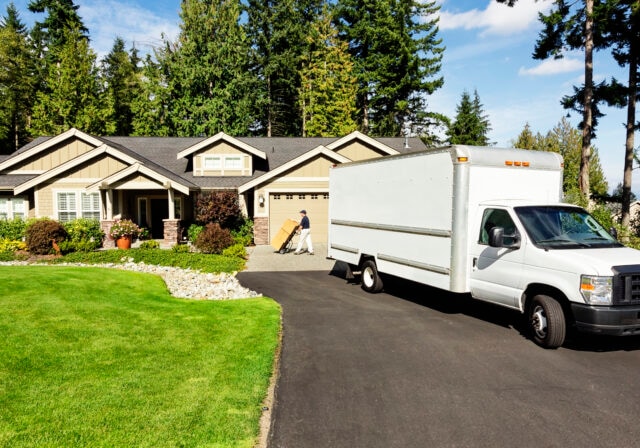 - Share "Setting Up Internet in a New Home: How to Connect While Moving" on X - Share "Setting Up Internet in a New Home: How to Connect While Moving" on Facebook - Share "Setting Up Internet in a New Home: How to Connect While Moving" on LinkedIn Planning ahead makes all the difference. Si conectas Internet lo antes posible en tu nueva casa, evitarás quedarte sin conexión y tu mudanza irá sobre ruedas. In this guide, you'll learn when to schedule service, how to move internet to a new house, avoid delays, and what to expect whether you're transferring service or starting fresh. ## Key takeaways for moving internet Before diving into the details, here are the most important things to keep in mind: 1. Schedule internet service __two to three weeks before your move date__ 2. Always __check availability at your new address first__ 3. Aim to have service __active on or before move-in day__ 4. Confirm __equipment compatibility and return requirements early__ A little preparation now can save time and frustration later. ## When should you schedule internet when moving to a new home? En cuanto se confirme la fecha de tu mudanza, es hora de planificar la instalación de Internet. Las citas para la instalación y el envío del equipo pueden tardar varios días, y durante la temporada alta de mudanzas, la disponibilidad puede ser limitada. Según guías del sector como CNET, planificar con antelación ayuda a reducir el riesgo de retrasos y de interrupciones en el servicio. A good rule of thumb is to schedule service __two to three weeks before your move__. This gives you time to: - Confirm service availability - Schedule installation - Receive equipment if needed - Adjust plans if something changes If you're moving during late spring or summer, consider scheduling even earlier. Those months tend to be the busiest during moving season. ## What's the best internet activation timing? Ideally, your internet should be ready __the day you move in - or even the day before__ if you have access. Si trabajas desde casa, asistes a clases virtuales o dependes de dispositivos conectados, tener Internet listo de inmediato te quita un gran peso de encima. Algunos hogares optan por mantener el servicio en ambas direcciones durante unos días. While this may result in temporary dual billing, it can help ensure uninterrupted connectivity during the transition. ## How to move internet to a new house: 5 steps If you're specifically searching for how to move internet to a new house, the process is usually straightforward. ### Step 1: Check availability at your new address Before calling anyone to schedule a move, confirm what's available at your new home. La disponibilidad de Internet depende de la infraestructura local. [Fiber](https://www.t-mobile.com/home-internet/fiber) might be available at your current address but not your new one. Las velocidades máximas pueden variar. En algunos edificios, solo están autorizados determinados proveedores. Aunque pienses quedarte con el mismo proveedor, asegúrate de que tu plan actual sea compatible con la nueva ubicación. If not - or if you've been considering a switch - moving is often a convenient time to explore new providers or plans. ### Step 2: Contact your provider to request a move Once availability is confirmed, contact your provider to request a service transfer. You'll typically need to provide: - Your move date - The new address - A preferred activation date - Contact details for scheduling Ask whether the move will be processed as a standard transfer or if it requires a new account setup. Clarifying this early helps you understand billing changes and installation requirements. ### Step 3: Confirm equipment details Equipment is where many moves get complicated. En algunos casos, basta con desconectar el módem y el enrutador y llevarlos contigo. En otros casos, la nueva dirección puede requerir un hardware diferente. Take a moment to confirm: - Whether your current modem is compatible - If new equipment will be shipped - Whether you need to return existing hardware - Return deadlines and instructions To simplify, here's a quick reference: | Situación | Qué esperar | |------------------------|--------------------------------------------------------------------------------------------------------| | Mismo tipo de servicio | Trae el equipo que ya tienes | | Otro tipo de servicio | Es posible que necesites nuevo hardware | | Apartamento con cableado existente | A menudo elegibles para autoinstalación | | Nueva construcción | Puede que sea necesaria la visita de un técnico; la conexión móvil fija normalmente no la requiere y se puede reutilizar en ubicaciones elegibles | Keeping documentation and shipping confirmations until service is active can prevent future billing issues. ### Step 4: Schedule installation If technician installation is required, schedule it as early as possible. Elige un horario que te ofrezca flexibilidad. Incluso si la cita está programada entre las 9 a. m. y el mediodía, la activación puede demorar más tiempo. Es mejor que evites tener reuniones importantes o plazos que cumplir el día de la instalación. If self-install is available, make sure your equipment arrives before you move in. ### Step 5: Set up and test your connection Once your internet is active, don't assume everything is working perfectly. Take a few minutes to: - Power on your modem and router - Log into your Wi-Fi network - Update your network name and password - Run a speed test - Connect essential devices Reconnect your laptop, phone, and any smart home systems first. Testing immediately allows you to troubleshoot before you fully unpack. ## Setting up internet in a new house for the first time If your current provider isn't available at your new address, you'll need to start fresh. El proceso es muy parecido, pero lo primero es elegir un proveedor. Start by: - Checking availability by address - Comparing speeds and plans - Reviewing installation timelines Once you select a plan, schedule installation and confirm equipment delivery. Activation time will depend on infrastructure, technician availability, and whether your home is already wired. ## How to avoid internet downtime while moving Even with careful planning, delays can happen. Dejar suficiente margen de tiempo puede ayudar a mantenerte conectado. Here are a few ways to reduce downtime: - __Overlap service__ at both addresses for a few days - Use a __mobile hotspot__ for temporary access - Schedule installation __before furniture arrives__ - Keep your schedule flexible on installation day These small steps can make your transition much smoother. ## Special considerations for renters vs. homeowners Your housing type can influence how you approach moving internet service. ### Renters Apartment buildings may have specific provider agreements. Before scheduling service, check: - Approved providers - Existing wiring in your unit - Access requirements for shared spaces Confirming these details early can prevent delays. ### Homeowners Homeowners often have more flexibility, but also more decisions to make. Think about: - Router placement for strong coverage - Whether a mesh Wi-Fi system is needed - Future smart home devices Consider where you'll place your router for optimal coverage. Larger homes may benefit from [mesh systems](https://www.t-mobile.com/home-internet/the-signal/speed/whole-home-wi-fi-repeaters-extenders-or-mesh) or [Wi-Fi extenders](https://www.t-mobile.com/home-internet/the-signal/speed/whole-home-wi-fi-repeaters-extenders-or-mesh). Si tienes pensado añadir dispositivos para el hogar inteligente en el futuro, tenlo en cuenta a la hora de elegir la velocidad. Planning ahead avoids the need for upgrades shortly after moving in. ## Common mistakes to avoid when moving internet Most issues come down to timing and assumptions. Here are a few to watch for: - Waiting too long to schedule installation - Assuming your current equipment will work - Forgetting to confirm appointments - Skipping availability checks ## Quick action checklist for setting up internet in a new home If you prefer a simple summary, here's what to remember: 1. Check availability at your new address 2. Decide whether to transfer or start new service 3. Schedule installation two to three weeks early 4. Confirm equipment requirements 5. Test your connection immediately after activation For a broader relocation planning resource, see our complete [Moving Checklist](https://www.t-mobile.com/home-internet/the-signal/isp/master-your-move-with-our-helpful-moving-checklist) guide. ## FAQs for setting up internet in a new home __Can I move my internet service to a new address online?__ Many providers allow you to request an [internet transfer](https://www.t-mobile.com/home-internet/transfer-internet-service) through your online account. If your new address has different service requirements, you may need to speak with a representative to confirm equipment and installation details. __Do I need to return my modem or router when I move?__ It depends on your provider and service type. Algunas mudanzas te permiten llevar tu equipo existente. Otras pueden requerir un hardware nuevo y la devolución de tu módem o gateway actual. Always confirm return deadlines to avoid extra fees. __What happens if my provider doesn't service my new address?__ If service isn't available, you'll need to set up internet in your new home with a different provider. Start by comparing plans, speeds, installation timelines, and equipment requirements before scheduling activation. __Can I set up internet before I officially move in?__ In many cases, yes. If you have early access to the property, you can schedule installation the day before move-in. This helps avoid downtime and ensures your connection is ready when you arrive. __Is it worth overlapping internet service at both addresses?__ Some households choose to overlap service for a few days to reduce the risk of downtime. While this may mean short-term dual billing, it can be helpful if you work remotely or rely heavily on connected devices. __What should I do if my internet isn't working after installation?__ Start with the basics: \- Restart your modem and router \- Check cable connections \- Confirm your Wi-Fi network name and password \- Run a [speed test](https://www.t-mobile.com/home-internet/the-signal/speed/how-to-test-internet-speed) If issues continue, contact your provider's support team for troubleshooting. __Can I install internet myself, or do I need a technician?__ If the home is already wired and compatible with your service type, self-install may be an option. New construction homes or addresses switching service types often require a technician visit, while fixed wireless options (like 5G home internet) typically do not. __How do I set up Wi-Fi in a new house for the first time?__ After activation, connect your modem and router, log in to the router's setup page or app, create a secure network name and password, and connect your primary devices. Then reconnect smart home devices, printers, and streaming equipment. __What's the best place to put my router in a new home?__ Place your router in a central, elevated location away from thick walls or large metal objects. Larger homes may benefit from a mesh Wi-Fi system to improve coverage across multiple rooms or floors. __How do I check internet availability by address?__ Most providers offer an online availability tool. Enter your full address-including apartment or unit number-to see which plans and speeds are supported at that location. __Will moving affect my internet contract?__ It can. Some providers treat a move as a transfer under your existing agreement, while others may require a new plan if your previous service isn't available at the new address. Ask about contract terms and any potential changes before confirming the move. __What if there's a delay and I need temporary internet?__ A mobile hotspot-either from your smartphone or a dedicated hotspot device-can provide short-term connectivity. This can help bridge the gap if installation is delayed by weather, scheduling issues, or equipment shipping. __You might also be interested in:__ - [Master Your Move with Our Helpful Moving Checklist](https://www.t-mobile.com/home-internet/the-signal/isp/master-your-move-with-our-helpful-moving-checklist)
- [How To Switch Internet Providers](https://www.t-mobile.com/home-internet/the-signal/isp/how-to-switch-internet-providers)
- [Whole Home Wi-Fi: Utilizing Repeaters, Extenders or Mesh](https://www.t-mobile.com/home-internet/the-signal/speed/whole-home-wi-fi-repeaters-extenders-or-mesh)
__Sources:__
- [https://www.cnet.com/home/internet/movers-guide-to-internet/](https://www.cnet.com/home/internet/movers-guide-to-internet/)
- [https://www.move.org/move-internet-contract/](https://www.move.org/move-internet-contract/)
- [https://www.allconnect.com/blog/how-to-move-your-internet-service-when-moving-homes](https://www.allconnect.com/blog/how-to-move-your-internet-service-when-moving-homes) Tags - [Modem](https://www.t-mobile.com/home-internet/the-signal/archive/modem) - [Router](https://www.t-mobile.com/home-internet/the-signal/archive/router) - [Technology](https://www.t-mobile.com/home-internet/the-signal/archive/technology) - [Whole Home](https://www.t-mobile.com/home-internet/the-signal/archive/whole-home) - [Wi-Fi](https://www.t-mobile.com/home-internet/the-signal/archive/wi-fi) ## Related Articles [Read More](https://www.t-mobile.com/home-internet/the-signal/internet-help/beginners-guide-to-mesh-network) [](https://www.t-mobile.com/home-internet/the-signal/internet-help/beginners-guide-to-mesh-network) [Internet Help](https://www.t-mobile.com/home-internet/the-signal/category/internet-help) ## [What is Mesh Wi-Fi? A Beginner's Guide](https://www.t-mobile.com/home-internet/the-signal/internet-help/beginners-guide-to-mesh-network) September 29, 2026 [Read More](https://www.t-mobile.com/home-internet/the-signal/speed/why-your-wi-fi-is-slow-and-how-to-fix-it) [](https://www.t-mobile.com/home-internet/the-signal/speed/why-your-wi-fi-is-slow-and-how-to-fix-it) [Speed](https://www.t-mobile.com/home-internet/the-signal/category/speed) ## [Why is My Internet Slow? How to Make Wi-Fi Faster](https://www.t-mobile.com/home-internet/the-signal/speed/why-your-wi-fi-is-slow-and-how-to-fix-it) October 6, 2026 [Read More](https://www.t-mobile.com/home-internet/the-signal/isp/master-your-move-with-our-helpful-moving-checklist) [](https://www.t-mobile.com/home-internet/the-signal/isp/master-your-move-with-our-helpful-moving-checklist) [ISP](https://www.t-mobile.com/home-internet/the-signal/category/isp) ## [Master Your Move with Our Helpful Moving Checklist](https://www.t-mobile.com/home-internet/the-signal/isp/master-your-move-with-our-helpful-moving-checklist) October 6, 2026 ### Find out if your home address is eligible for T-Mobile 5G Home Internet. [Check availability](https://www.t-mobile.com/home-internet/eligibility) Top