[Skip to content](https://www.t-mobile.com/home-internet/the-signal/internet-help/what-is-antivirus#maincontent)
[The Signal](https://www.t-mobile.com/home-internet/the-signal)
- [All Blogs](https://www.t-mobile.com/home-internet/the-signal/latest)
- [Speed](https://www.t-mobile.com/home-internet/the-signal/category/speed)
- [Internet Devices](https://www.t-mobile.com/home-internet/the-signal/category/internet-devices)
- [ISP](https://www.t-mobile.com/home-internet/the-signal/category/isp)
- [Internet Help](https://www.t-mobile.com/home-internet/the-signal/category/internet-help)
- [Dialed In](https://www.t-mobile.com/dialed-in/)
- [All Blogs](https://www.t-mobile.com/home-internet/the-signal/latest)
- [Speed](https://www.t-mobile.com/home-internet/the-signal/category/speed)
- [Internet Devices](https://www.t-mobile.com/home-internet/the-signal/category/internet-devices)
- [ISP](https://www.t-mobile.com/home-internet/the-signal/category/isp)
- [Internet Help](https://www.t-mobile.com/home-internet/the-signal/category/internet-help)
- [Dialed In](https://www.t-mobile.com/dialed-in/)
1. [The Signal](https://www.t-mobile.com/home-internet/the-signal) 2. Category:[Internet Help](https://www.t-mobile.com/home-internet/the-signal/category/internet-help) [Internet HelpCategory](https://www.t-mobile.com/home-internet/the-signal/category/internet-help) # What is Antivirus? A Simple Guide to Antivirus Software Published: June 23, 2026 |9 min read Ever hovered over a suspicious link and thought, "Should I really click this?" No eres el único. Momentos como ese son precisamente la razón por la que existe el software antivirus. Entonces, ¿qué es un antivirus? En pocas palabras, un antivirus es un programa que te ayuda a detectar, bloquear y eliminar el software malicioso (malware) de tus dispositivos. It works quietly in the background, keeping an eye on downloads, apps, and files so you don't have to. 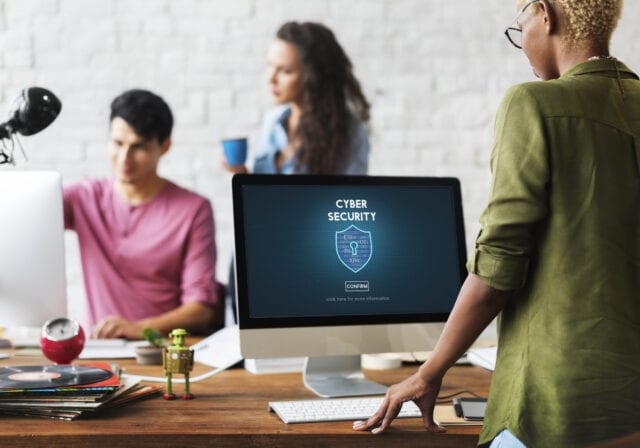 #### Jump to a Section^ 1. [What is antivirus software?](https://www.t-mobile.com#what-is-antivirus) 2. [How antivirus connects to your internet activity](https://www.t-mobile.com#antivirus-internet-activity) 3. [Key ways antivirus software protects you](https://www.t-mobile.com#ways-antivirus-protects) 4. [Common types of malware antivirus helps catch](https://www.t-mobile.com#common-types-malware) 5. [How antivirus scans work in simple steps](https://www.t-mobile.com#antivirus-scans) 6. [Free vs. paid antivirus](https://www.t-mobile.com#free-vs-paid-antivirus) 7. [Tips to get the most from your antivirus](https://www.t-mobile.com#get-most-from-antivirus) 8. Mostrar más^ - Compartir "¿Qué es un antivirus? A Simple Guide to Antivirus Software " on X - Share "What is Antivirus? A Simple Guide to Antivirus Software " on Facebook - Share "What is Antivirus? A Simple Guide to Antivirus Software " on LinkedIn If you've ever wondered how antivirus protection works-or whether you actually need it-you're in the right place. In this article, we'll explain what antivirus is, how antivirus software works, and simple [tips to stay safer online](https://www.t-mobile.com/privacy-center/education/online-safety-cybersecurity)-all without diving into complicated tech jargon. ## Key takeaways about antivirus software - Antivirus software helps detect, block, and remove malware from your device. - Analiza archivos, detecta comportamientos sospechosos y supervisa la actividad en tiempo real. - Free and paid antivirus options offer different levels of protection depending on your needs. ## What is antivirus software? Antivirus software is a type of security program designed to help protect your device from harmful software, often called [malware](https://www.t-mobile.com/home-internet/the-signal/internet-help/what-is-malware). Esto incluye amenazas como virus informáticos, spyware y ransomware, que pueden intentar dañar tu dispositivo o acceder a tus datos. Piensa en el antivirus como si fuera un guardia de seguridad para tu teléfono o tu computadora. Comprueba todo lo que llega (descargas, apps, archivos adjuntos de correo electrónico) y marca cualquier cosa que parezca sospechosa. La mayoría de las veces funciona silenciosamente en segundo plano y solo te avisa cuando hay algo que requiere tu atención. Aunque al principio los antivirus se centraban en los virus informáticos tradicionales, las herramientas actuales abarcan ahora una gama más amplia de amenazas. Today's antivirus software can help protect laptops, [tablets](https://www.t-mobile.com/tablets), and even [phones](https://www.t-mobile.com/cell-phones), offering broader antivirus protection across your digital life. ## How antivirus connects to your internet activity Many modern threats come from the internet, which means antivirus software often works hand-in-hand with your online activity. Cuando navegas por Internet, abres mensajes de email o descargas archivos, tu dispositivo intercambia datos con fuentes externas. El software antivirus ayuda a supervisar estas interacciones para reducir la probabilidad de que se cuele algo dañino. Here are a few common ways antivirus relates to your internet use: - It may scan files as they download from websites. - Te puede avisar de sitios web peligrosos o falsos antes de que los visites. - Puede analizar archivos adjuntos de correo electrónico en busca de malware oculto. - Puede ayudar a detectar comportamientos sospechosos en las apps conectadas a Internet. In short, antivirus is not just about your device-it's also about how your device interacts with the wider internet. ## 5 Key ways antivirus software protects you Antivirus software handles several important tasks behind the scenes. Estas funciones se combinan para ayudarte a reducir los riesgos al usar tu dispositivo a diario. Here are five common ways antivirus software may protect you: 1. __Real-time protection:__ Watches files, apps, and downloads as they appear, helping catch threats early.
2. __Quick and full scans:__ Lets you check specific files quickly or scan your entire device for hidden issues.
3. __Automatic updates:__ Keeps the software current so it can recognize newer threats.
4. __Quarantine:__ Isolates suspicious files so they can’t harm your device while you decide what to do.
5. __Web and email warnings:__ Alerts you if a link or site looks risky before you click. En la vida real, esto podría aparecer como una ventana emergente de aviso sobre una descarga o un análisis rápido que se está completando en segundo plano. These small moments are signs your antivirus is actively working. ## Common types of malware antivirus helps catch Malware is a broad term for software designed to harm, trick, or spy on your device. El software antivirus puede ayudarte a detectar muchas de estas amenazas antes de que causen problemas. Here are some of the most common types: - __Computer viruses:__ Programs that spread by attaching themselves to files or apps.
- __Worms:__ Self-spreading malware that can move across networks without user action.
- __Trojan horses:__ Programs that appear safe but hide harmful code inside.
- __Ransomware:__ Locks your files and demands payment to unlock them.
- __Spyware:__ Tracks your activity or collects personal information without your knowledge.
- __Adware:__ Displays unwanted ads and may track browsing behavior.
- __Keyloggers:__ Record what you type, including passwords or messages. No todas las ventanas emergentes raras son malware, pero algunas pueden intentar engañarte para que los instales. Antivirus software can help spot these risks early, giving you a better chance to avoid trouble. ## How antivirus scans work in 4 simple steps When you run a scan-or when your antivirus checks files automatically-it follows a simple process behind the scenes. 1. __Start the scan:__ You trigger it manually, or it runs automatically in the background.
2. __Check against known threats:__ The software compares files to a list of known malware (signature-based detection).
3. __Look for suspicious patterns:__ It flags unusual behavior that may indicate new threats (heuristic detection).
4. __Monitor behavior and isolate risks:__ It watches how programs act and may quarantine anything that seems unsafe. Las herramientas antivirus modernas suelen combinar estos métodos. This layered approach helps balance safety with performance, so your device keeps running smoothly. ## Free vs. paid antivirus: What you might get with each Choosing between free and paid antivirus often comes down to how you use your device and how much protection you want. El siguiente cuadro resume las diferencias más habituales a grandes rasgos: | Característica | Antivirus gratis | Antivirus de pago | |---------------------------|-----------------|--------------------| | Análisis básico de malware | Sí | Sí | | Protección en tiempo real | A menudo se incluye | Normalmente se incluye | | Detección avanzada de amenazas | Limitada | Más completa | | Herramientas de privacidad (VPN, etc.) | Rara vez incluidas | A menudo se incluyen | | Asistencia al cliente | Limitada o nula | Normalmente disponible | Un antivirus gratuito puede ser un buen punto de partida para una protección básica. Las versiones de pago suelen incluir funciones adicionales, como una mayor cobertura contra malware o funciones de privacidad adicionales. The right choice depends on your habits, the type of data you store, and your comfort level with risk. ## 6 Tips to get the most from your antivirus Antivirus works best when combined with simple, everyday habits. These small steps can make a noticeable difference. 1. Mantén actualizado tu antivirus para que detecte las amenazas más recientes.
2. Schedule regular scans at times that won’t interrupt your day.
3. Pay attention to alerts instead of closing them quickly.
4. Avoid unknown links and downloads even if you have protection installed.
5. Use strong, unique passwords for important accounts.
6. Turn on extra security features like multi-factor sign-in when available. These habits can help strengthen your overall protection. ## Do you need antivirus for home internet networks? If you use multiple devices on the same [home internet](https://www.t-mobile.com/home-internet/plans) connection-like phones, laptops, or smart devices-[cybersecurity](https://www.t-mobile.com/support/home-internet/advanced-cyber-security) becomes even more important. Antivirus software on individual devices may help prevent threats from spreading across your [home network](https://www.t-mobile.com/home-internet/the-signal/speed/wi-fi-security-essential-protections). Algunas herramientas también pueden supervisar la actividad de la red o bloquear conexiones sospechosas. Even with antivirus, [securing your home network](https://www.t-mobile.com/home-internet/the-signal/internet-help/5-next-level-security-wi-fi-tips-for-home) with a strong password and updated router settings can help reduce risks. ## Do phones and tablets need antivirus too? Los teléfonos y las tablets se enfrentan a muchos de los mismos riesgos que las computadoras, como apps inseguras, mensajes de phishing y enlaces peligrosos. Aunque los dispositivos móviles suelen incluir medidas de protección integradas, estas no son perfectas. Las apps antivirus para dispositivos móviles pueden incluir funciones como el análisis de apps o la protección en Internet. Estas herramientas pueden ayudar a identificar posibles riesgos antes de que causen problemas. Dicho esto, tus hábitos seguirán siendo lo más importante. Installing apps from trusted sources, avoiding suspicious links, and keeping your device updated are key steps that work alongside any antivirus software. ## Why antivirus alone may not be enough Antivirus is an important layer of protection, but it is not the only one. Ningún programa puede detectar todas las amenazas posibles en todo momento. Un enfoque combinado, que mezcle herramientas y hábitos, suele ser lo que mejor funciona. La ciberseguridad funciona mejor cuando se utilizan varias capas de protección, como software actualizado, contraseñas seguras y un comportamiento prudente en Internet, para ayudar a reducir el riesgo general. Simple actions like updating your device, locking your screen, and thinking twice before clicking may work together with antivirus software to help improve your safety. ## FAQs about antivirus software __Do I need antivirus software on my computer?__ Many devices include basic protection, but additional antivirus software may provide extra coverage. It depends on how you use your device and your comfort level with risk. __How often should I run an antivirus scan?__ Running a full scan once a week is common, while real-time protection works continuously in the background. __Can antivirus remove all malware?__ Antivirus may remove many threats, but no tool guarantees complete protection. That's why safe habits are still important. __Does antivirus slow down your device?__ Modern antivirus software is designed to minimize slowdowns, though scans may briefly use more system resources. __Is free antivirus good enough?__ Free options can offer basic protection. Paid versions often include additional features and support. __What's the difference between antivirus and anti-malware?__ Antivirus traditionally focused on viruses, while anti-malware covers broader threats. Today, most tools combine both functions. __Can antivirus protect against phishing?__ Some antivirus tools may warn about suspicious links or websites, helping reduce phishing risks. __Are there devices that don't need antivirus?__ All devices can face security risks. Some systems have built-in protections, but additional tools may add another layer. __What happens when a file is quarantined?__ Quarantine isolates the file so it cannot affect your device. You can review or delete it safely. __Can antivirus protect my personal data?__ It may help reduce risks, but protecting personal data also depends on your habits, like using strong passwords. __Is antivirus necessary for online activity?__ It can help reduce risk, but secure websites, strong passwords, and cautious behavior are just as important. __Is antivirus useful on public Wi-Fi?__ It may help reduce risks, especially when combined with cautious browsing and secure connections. __Can I run more than one antivirus program?__ Running multiple antivirus tools at once may cause conflicts. It's usually better to use one reliable option. ## Stay safer online with antivirus protection Antivirus is a helpful tool that works in the background to help detect, block, and remove many types of malware from your device. El software antivirus desempeña un papel importante en la protección contra los virus, pero funciona mejor si lo combinas con hábitos sencillos, como mantener tu dispositivo actualizado y evitar los enlaces sospechosos. Together, these steps can help you feel more confident using your technology every day. __You might also be interested in:__ - [What Is Malware? How It Works, Common Types & How to Protect Yourself](https://www.t-mobile.com/home-internet/the-signal/internet-help/what-is-malware)
- [5 Next-Level Security Wi-Fi Tips for Home](https://www.t-mobile.com/home-internet/the-signal/internet-help/5-next-level-security-wi-fi-tips-for-home)
- [Wi-Fi Security: Essential Protections for Your Home Wi-Fi](https://www.t-mobile.com/home-internet/the-signal/speed/wi-fi-security-essential-protections)
- [Advanced Cyber Security](https://www.t-mobile.com/support/home-internet/advanced-cyber-security)
- [Online Safety and Account Protection](https://www.t-mobile.com/privacy-center/education/online-safety-cybersecurity)
__Sources:__
- [https://us.norton.com/blog/malware/what-is-antivirus](https://us.norton.com/blog/malware/what-is-antivirus)
- [https://www.cisco.com/site/us/en/learn/topics/security/what-is-antivirus-protection.html](https://www.cisco.com/site/us/en/learn/topics/security/what-is-antivirus-protection.html)
- [https://www.pcmag.com/explainers/do-you-still-need-antivirus-or-a-vpn-in-2026-the-answer-will-surprise-you](https://www.pcmag.com/explainers/do-you-still-need-antivirus-or-a-vpn-in-2026-the-answer-will-surprise-you) Tags - [Security](https://www.t-mobile.com/home-internet/the-signal/archive/security) ## Related Articles NEW [Read More](https://www.t-mobile.com/home-internet/the-signal/internet-help/what-is-malware) [](https://www.t-mobile.com/home-internet/the-signal/internet-help/what-is-malware) [Internet Help](https://www.t-mobile.com/home-internet/the-signal/category/internet-help) ## [What Is Malware? How It Works, Common Types & How to Protect Yourself](https://www.t-mobile.com/home-internet/the-signal/internet-help/what-is-malware) December 16, 2025 [Read More](https://www.t-mobile.com/home-internet/the-signal/speed/wi-fi-security-essential-protections) [](https://www.t-mobile.com/home-internet/the-signal/speed/wi-fi-security-essential-protections) [Speed](https://www.t-mobile.com/home-internet/the-signal/category/speed) ## [Wi-Fi Security: Essential Protections for Your Home Wi-Fi](https://www.t-mobile.com/home-internet/the-signal/speed/wi-fi-security-essential-protections) November 5, 2025 [Read More](https://www.t-mobile.com/home-internet/the-signal/internet-help/http-vs-https) [](https://www.t-mobile.com/home-internet/the-signal/internet-help/http-vs-https) [Internet Help](https://www.t-mobile.com/home-internet/the-signal/category/internet-help) ## [HTTP vs HTTPS: What You Need to Know (A Resource for Secure Browsing)](https://www.t-mobile.com/home-internet/the-signal/internet-help/http-vs-https) November 18, 2025 ### Find out if your home address is eligible for T-Mobile 5G Home Internet. [Check availability](https://www.t-mobile.com/home-internet/eligibility) Top